How do I see which pages people read before they sign up?
19 September 2026 · by Nordva, who make Nordva Launch
The short answer
Three ways, from simplest to most detailed: count signups by the page they happened on, build a funnel of the pages you expect people to pass through, or look at one person's visit history before they signed up. All three need analytics that record page views, and the last two need to recognise the same visitor from page to page.
1. Signups by page
Tag the signup button as a goal and count completions by the page they happened on. It shows which pages people sign up from, not which pages convinced them earlier. It’s the quickest start and needs no visitor identifier.
2. A funnel of the path you expect
List the pages you think people pass through (home, pricing, a guide, signup) and count how many visitors reach each step in order. The step with the biggest drop is where people give up. A funnel needs your analytics to recognise the same visitor between pages; without that, you only get each step’s totals.
3. One person’s history
For a customer or a signup you know, look at every visit that led up to it: where they first came from, which pages they read, how many times they came back before signing up. A handful of these tell you more than any average: you’ll see that people who read a certain guide, or the pricing page twice, are the ones who sign up.
This needs the visitor linked to the person: when they sign up through your form, or when your app tells the analytics tool who they are after login.
What to do with it
- Link to the convincing pages from the places where people drop off.
- Put the signup where the reading ends: if people sign up after a guide, add a signup at the end of every guide.
- Write more of what works: if one kind of page keeps appearing before signups, that’s the page to write again for a different question.
Privacy
Recognising a visitor across pages usually means a first-party cookie with a random identifier. Where consent is needed, it’s stored only after the visitor agrees; without it, you still get the first two views as totals.
With Nordva Launch
Tag buttons as goals with data-nordva-goal="signup", build funnels under Insights (one of three steps on Free, five of five on Indie), and on Builder, open a contact to see “How they found you”: every visit and goal before they signed up and paid.
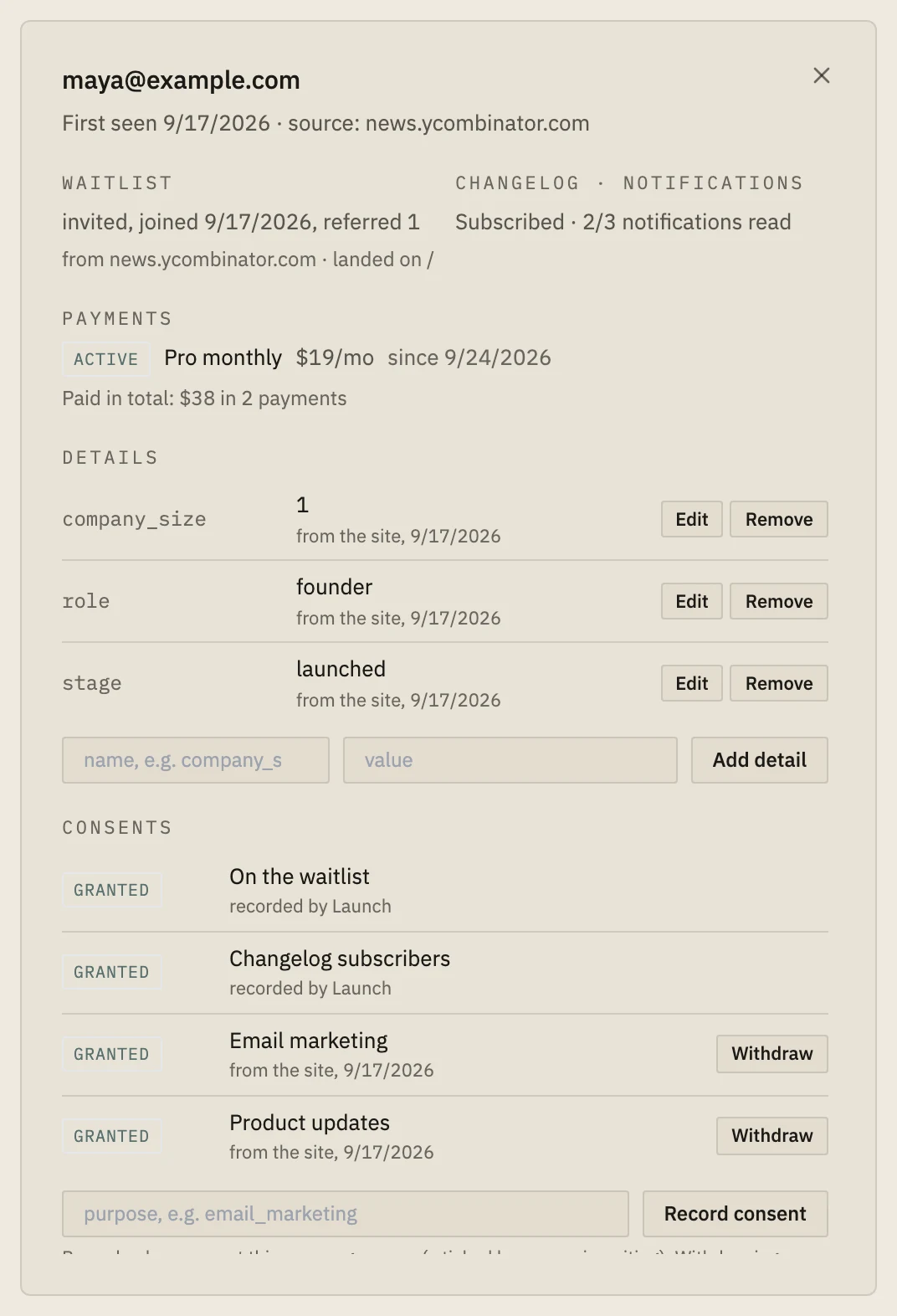
 Example data
 When Launch is the wrong tool
If you want to replay each visitor's clicks and scrolling, you need a session recording tool; Launch records which pages and goals, not every movement.
- Which pages lead to signups?
- How do I see a user's journey before they convert?
- What did this customer do before signing up?