How do I collect user feedback inside my app?
19 September 2026 · by Nordva, who make Nordva Launch
The short answer
Put a small feedback button where people get stuck or finish something, with one open question and an optional email. Send the signed-in user's id with every message, so you know who wrote it and whether they pay. Keep everything in one inbox, sort it into bugs, requests and questions, and reply to people when you fix what they asked for.
Where to put it
- Always reachable: a small “Feedback” button in the corner or the menu, so people can write when something annoys them.
- At the moments that matter: after someone finishes a key task, or when they hit an error. A question right after an error (“What were you trying to do?”) gets the most useful answers.
- Not in the way: no pop-ups on page load. People who are interrupted before they’ve done anything have nothing useful to say.
What to ask
One open question is enough: “What could be better?” or “What were you trying to do?”. Keep the box short and the button obvious; a long form gets abandoned halfway. Multiple-choice questions give you tidy numbers and little insight. Add an optional email field for people who want a reply, and say why you ask for it.
Tie every message to the person
Send the signed-in user’s id with the message automatically. Then each piece of feedback can be read next to who wrote it: a paying customer, a trial user, someone who signed up yesterday. “Add dark mode” from a customer who pays every month weighs differently from the same words from someone who left after a day.
What to do with it
- Keep one inbox. Bring in feedback from email and chat too, with the sender.
- Sort it. Bug, feature request, question, praise, billing. It takes seconds a message, or none with automatic sorting.
- Look for patterns weekly. Count requests by theme, and by whether the people asking pay.
- Close the loop. When you ship something people asked for, tell each of them. It shows their feedback went somewhere, and they’ll write again.
With Nordva Launch
Launch’s feedback widget or API sends every message to one inbox, with the user id you pass. Each message is sorted into bug, feature request, praise, billing or support, and linking a message to a changelog entry emails the person when it ships. Free takes 50 messages a month per project, sorted by keywords and forwarded by email; on Indie, AI does the sorting (500 a month, 3,000 on Builder) and routing sends messages to Slack, Linear or GitHub too.
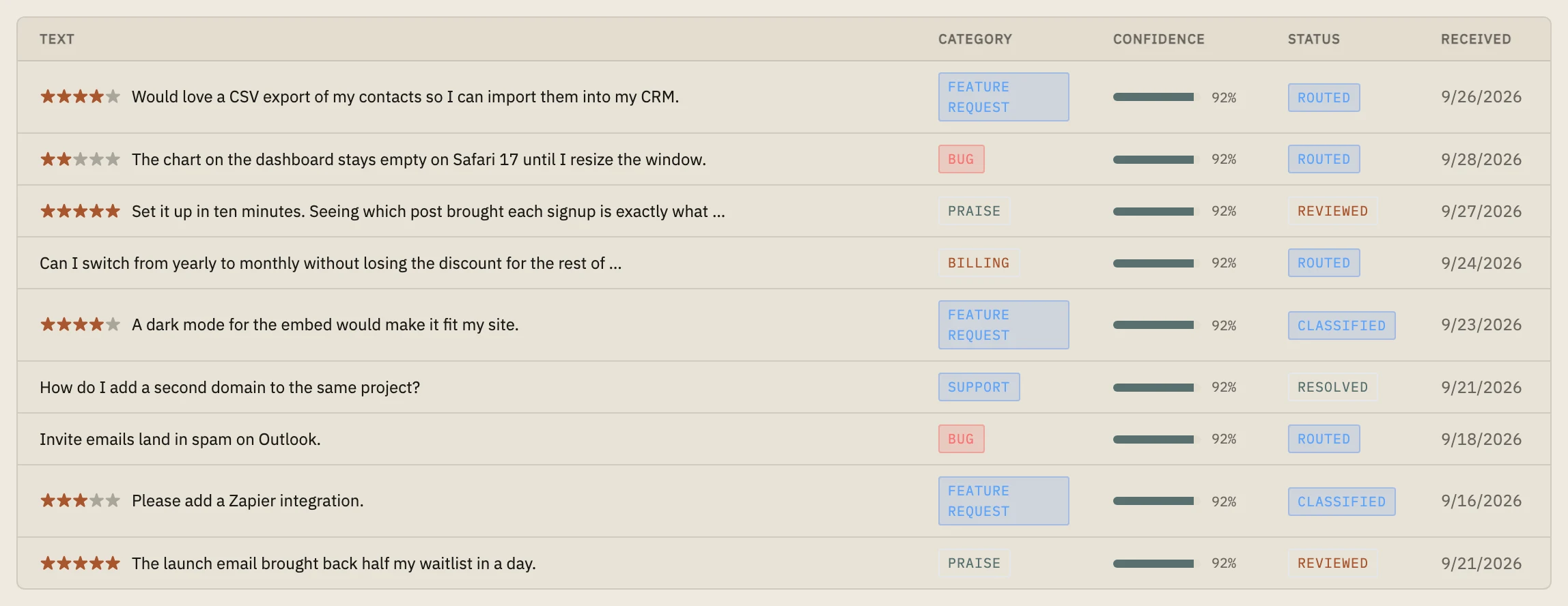
 Example data
 When Launch is the wrong tool
If you want a public board where users vote on ideas, use a board tool; Launch keeps feedback private to you.
- How do you collect in-app feedback?
- What's the best way to get feedback from users?
- Should I use a feedback widget?